A complete Python tool in Alteryx - Pascal's triangle
By DavidSM on August 13, 2018
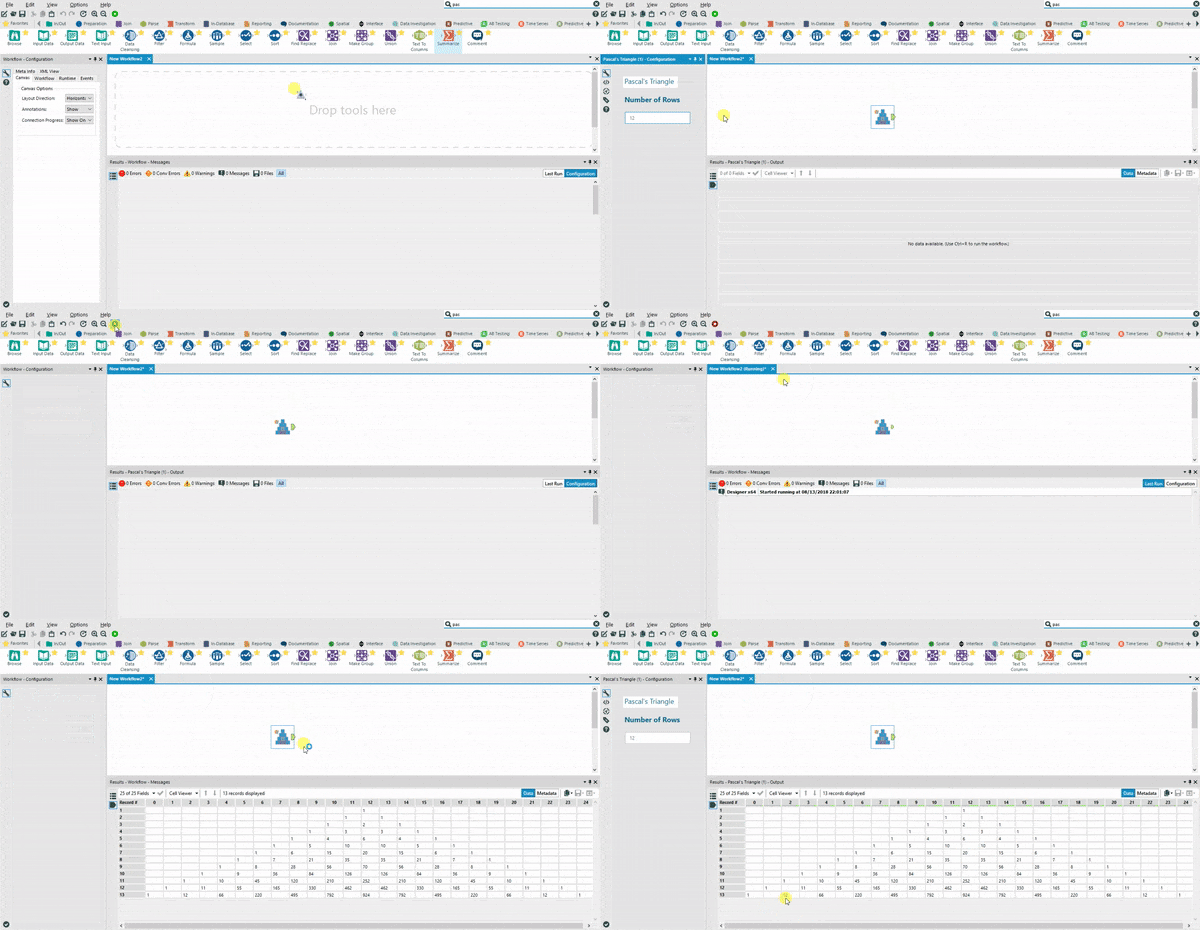
After a couple of posts (I & II) getting my feet wet with the Python SDK module for Alteryx I finally get to build a tool that actually uses some code:
The Pascal’s Triangle generator
Following the original recipe, I duplicated a sample folder, renamed the files, removed most of the superfluous code, added the pieces I needed and, finally, connected my code with the AyxPlugin. All so that I can generate my own Pascal’s Triangles with a single tool.
The main difference with the previous tool is that the code references two python libraries that are not part of the miniconda distribution that comes with Alteryx:
On hindsight, this is an overkill and I could/should have just written a self-contained implementation. BUT I did want to play with importing packages and virtual environments so… The installer is available here. Install it by double clicking on it, it will appear in the “Laboratory” tools. Unzip the .yxi to explore the files.
I first wrote a working example using Jupyter:
import scipy.special
import pandas as pd
    def Pascal(value):
        '''Returns the Pascal Triangle up to the Row defined in the value'''

        df = pd.DataFrame(0, index= range(value+1), columns = range((value+1)*2))
        #instantiate the df, will need double
        # the number of columns as they don't stack

        for index in df.index:
            diff = len(df) - (index+1) #calculate the step to add to the stair
            for column in df.columns:
                try:
                    df.iloc[index,(column*2 + diff)] = int(scipy.special.binom(index, column))
                except: pass
        df.replace(to_replace=0,value='',inplace=True)# remove zeros
        return df
Then I migrated that code into the PascalTriangleEngine.py
- Import libraries.
- Bring the Pascal Function.
- Update pi_push_all_records.
Import libraries
import AlteryxPythonSDK as Sdk
import xml.etree.ElementTree as Et
import scipy.special
import pandas as pd
Pascal Function
def Pascal(self, value):
    '''Returns the Pascal Triangle up to the Row defined in the value'''
    # Instantiate the df will need double the number of
    # columns as they don't stack

    df = pd.DataFrame(0, index= range(value+1), columns = range((value+1)*2-1))
    for index in df.index:
        diff = len(df) - (index+1) #calculate the step to add to the stair
        for column in df.columns:
            try:
                df.iloc[index,(column*2 + diff)] = int(scipy.special.binom(index, column))
            except: pass
    df.replace(to_replace=0,value='',inplace=True)# remove zeros
    return df
Pi_push_all
def pi_push_all_records(self, n_record_limit: int) -> bool:

    self.dataframe = self.Pascal(self.n_rows)
    record_info_out = self.build_record_info_out()  # Building out the outgoing record layout.
    self.output_anchor.init(record_info_out)  # Lets the downstream tools know of the outgoing record metadata.
    record_creator = record_info_out.construct_record_creator()  # Creating a new record_creator for the new data.

    for row in self.dataframe.index:
        t=0
        for column in self.dataframe.columns:
            record_info_out[t].set_from_string(record_creator,str(self.dataframe.loc[row,column]))
            t+=1

        out_record = record_creator.finalize_record()
        self.output_anchor.push_record(out_record, False)  # False: completed connections will automatically close.
        record_creator.reset()  # Resets the variable length data to 0 bytes (default) to prevent unexpected results.

    self.alteryx_engine.output_message(self.n_tool_id, Sdk.EngineMessageType.info, self.xmsg(
    str(self.n_rows)+' records were processed.'))
    self.output_anchor.close()  # Close outgoing connections.
    return True
Finally, I made sure to follow the steps detailed in the official documentation to obtain the installer and proper dependencies:
- Create a virtual environment.
- Install packages in the virtual environment.
- Create the
requirements.txtfile using pip freeze. - Create the installer .yxi.
Virtual environment
C:\Program Files\Alteryx\bin\Miniconda3>python -m venv
C:\TempFolderWhereIamDevelopingTheTool
Packages
cd C:\TempFolderWhereIamDevelopingTheTool\Scripts
pip install pandas
pip install scipy
Requirements
cd C:\TempFolderWhereIamDevelopingTheTool\Scripts
pip
freeze > ..\requirements.txt
Thanks for reading!
Find this and other python tools for Alteryx in my repo .